A clear quote for shared areas
Work lines, quantities, VAT and terms gathered in a document the board can approve.

Condominiums and residences: rounds, sanitary log, works quotes.
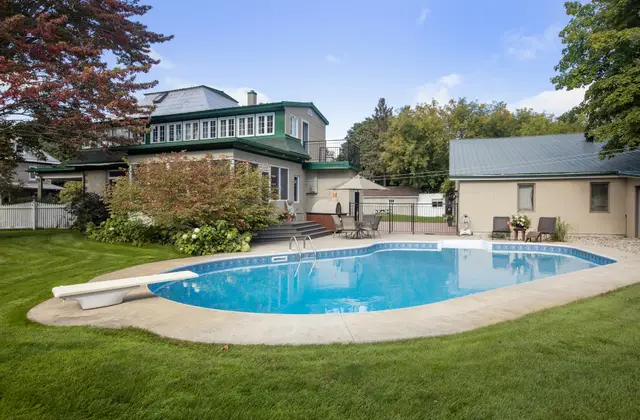
You manage condominiums or residences where the pool is a shared area. Each residence is a site with its own pools, history and contacts. You plan your rounds by residence, prepare quotes for work on the shared pools, share the product stock between properties and give the owners’ board a clear, dated water report. The app keeps track of what was done, by whom and when.
Work lines, quantities, VAT and terms gathered in a document the board can approve.
A schedule with a timer, an optimised round and the history of each residence at hand.
The “water status” text (latest test and quality) goes out by message, e-mail or social network: the board reads it without installing anything.
Quantities per product, a low-stock alert and cost prices to price your interventions.
Visit reports, photos and the sanitary log kept per pool, to answer a question months later.
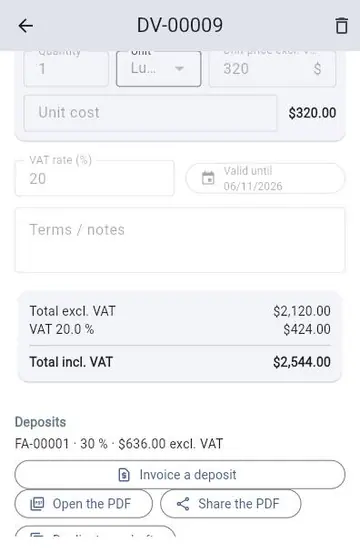
Menu ⋮ → Works to plan → Quotes tab: create the quote for the building (new pool or works), then "Issue the quote".
Guide & best practices →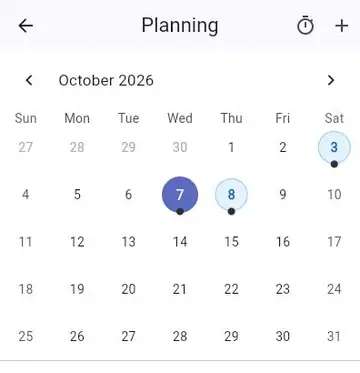
Planning: schedule the visits per residence and assign them to your technicians; the round can be optimised.
Guide & best practices →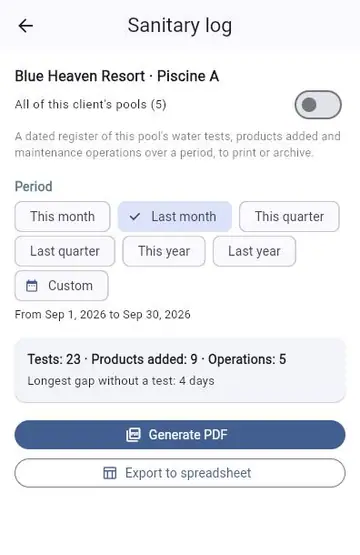
Water log of the pool → "Sanitary log": choose the period and, if needed, all the pools of the residence.
Guide & best practices →Menu PRO / ⋮ → members: "Invite", enter the e-mail address and choose the role (Administrator, Editor or Reader).
Guide & best practices →The "To do" card on the home screen gathers what needs action: late tests, payments, quotes, works, equipment to watch...
Guide & best practices →Yes. Quotes are used in particular for work on shared areas; once accepted, they can be followed as jobs.
You send by message or e-mail a text with the latest test and the water quality, or export the dated sanitary log as a PDF: the reader needs no account.
Yes. Each residence is a separate site with its own pools, tests, jobs and contacts.
Yes, by inviting them as a member of your organisation and choosing which residences they can see.
The demo opens with sample data matching your activity. Nothing is saved.